
Features / Waivers
Signed before they arrive. Searchable after.
Stop running a clipboard at the door, and stop wondering three months later whether the form got signed. Send a link, collect a drawn signature, and find any record in a search box.
Included in the same $99 a year as ticketing and auctions.
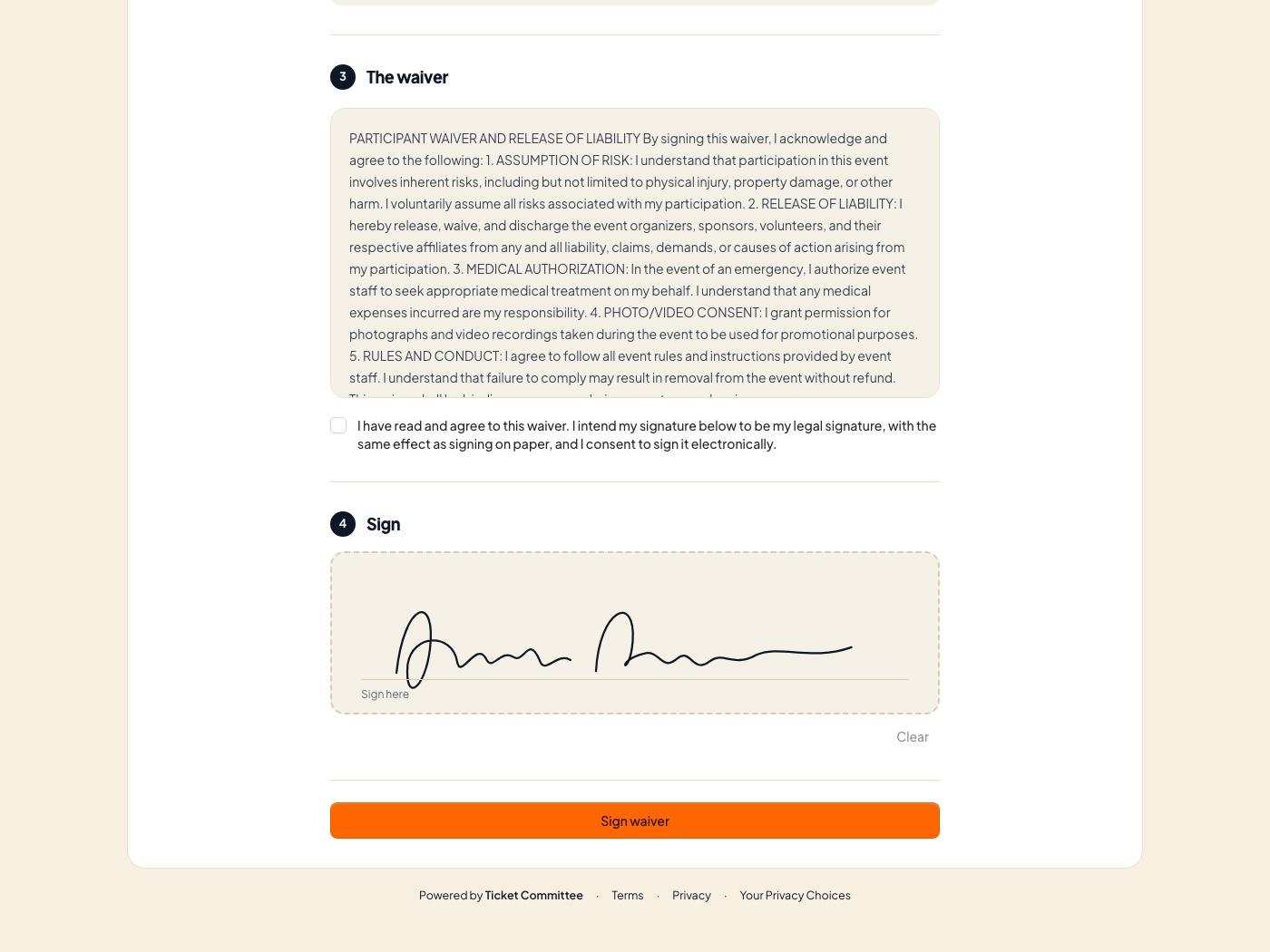
One link. They sign on the phone already in their hand.
The signing link works on any phone or computer. There is nothing to install and no account to create.
Your wording
Paste in the waiver language your organization already uses. It sits above the agreement box, where it has to be read before anyone can continue.
A drawn signature
Signed with a finger on a phone or a mouse on a laptop, and stored as an image with the record.
Your own fields
Name and email come as standard. Add an allergy question, an emergency contact, a date of birth, or a photo release. Custom fields are unlimited.
A parent signs for a child, or for the whole family.
When you allow minors, the guardian signs and records their relationship: parent, legal guardian, grandparent, or other. With group signing, one signature covers several children, and each child is still checked in on their own.
At the door, you see who has not signed.
Search by name or scan the QR code from the signer's confirmation email. Anyone without a signature is flagged before they walk in.
- Kiosk mode turns a tablet into a signing station for walk-ups, and it resets itself between people
- Marking someone verified records the time and which volunteer did it
- Remind one person, or everyone still missing, by email, by text, or both
Three months later, it is still one search away.
Search submissions by name, email, or anything typed into a custom field. Filter by the dates signed, open the record, and the signature is there.
Every record keeps the signature image, who signed and when, the guardian details where a minor was involved, the answers to your fields, and who checked them in. Export the list as a spreadsheet when the board asks.
Whether a particular release holds up is a question for your attorney, as it is on paper.
Attach it to an event, or run it by itself.
With a ticketed event
Ticket buyers are asked to sign, and the attendee list shows who has.New buyers can be asked the moment they register. Filter the list to the people who have not signed and send them a reminder.
More than one form
One link walks the attendee through every waiver they still owe.A counter shows how many are left.
Standing alone
No tickets needed. Share the signing link and collect signatures.Useful for a season, a field trip, or a volunteer day with nothing to sell.