
Bidders use their phones.
The room watches
the board.
Print a sheet for every lot, put a screen at the front of the room, and let guests bid from wherever they are standing. When bidding closes, every winning card is charged for you.
No app for your guests to download. No setup fee for the night.
How it works
Set up in an afternoon, settled by morning
Four steps from a table of donated items to money in the account.
Load the lots
Add items with photos, categories, starting bids, and minimum increments, or import a spreadsheet. Record which donor gave what, including lots donated jointly by two businesses.
Print the sheets
Every lot gets a printable bid sheet with your logo and its own QR code. Print them all at once, set them on the tables, and setup is done.
Guests bid by phone
Scan, register with a card on file, bid. Nothing to download, and nothing charged unless they win. Outbid alerts go out by text and email so nobody loses a lot they wanted.
It closes and settles
The whole auction closes at once. Winners get an email, cards are charged on the delay you set, and you get a report you can hand to the treasurer.
On the table
The only thing you have to print
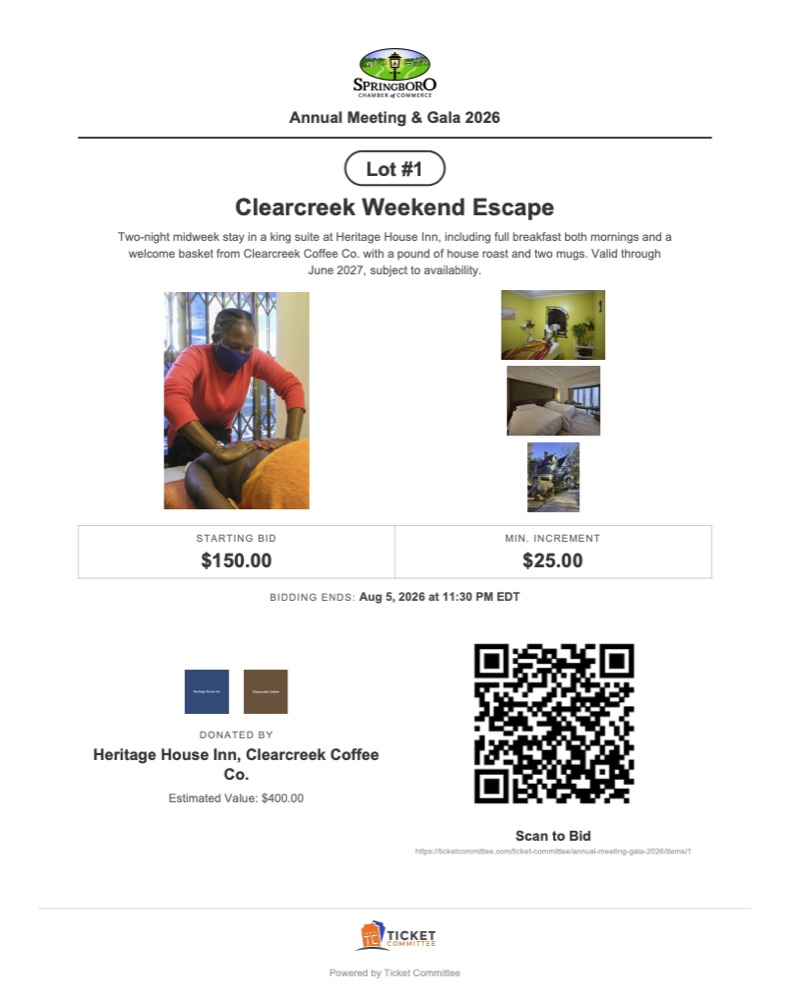
One sheet per lot, generated from what you already entered. Guests point a camera at the QR code and land on that exact item, ready to bid.
- Your organization's logo at the top, not ours
- Lot number, photos, description, and estimated value
- Starting bid, minimum increment, and when bidding ends
- The donor credited by name, with their logo where you have it
- Print every sheet in one go, or reprint a single lot after an edit
The display board
A screen at the front that does the selling for you
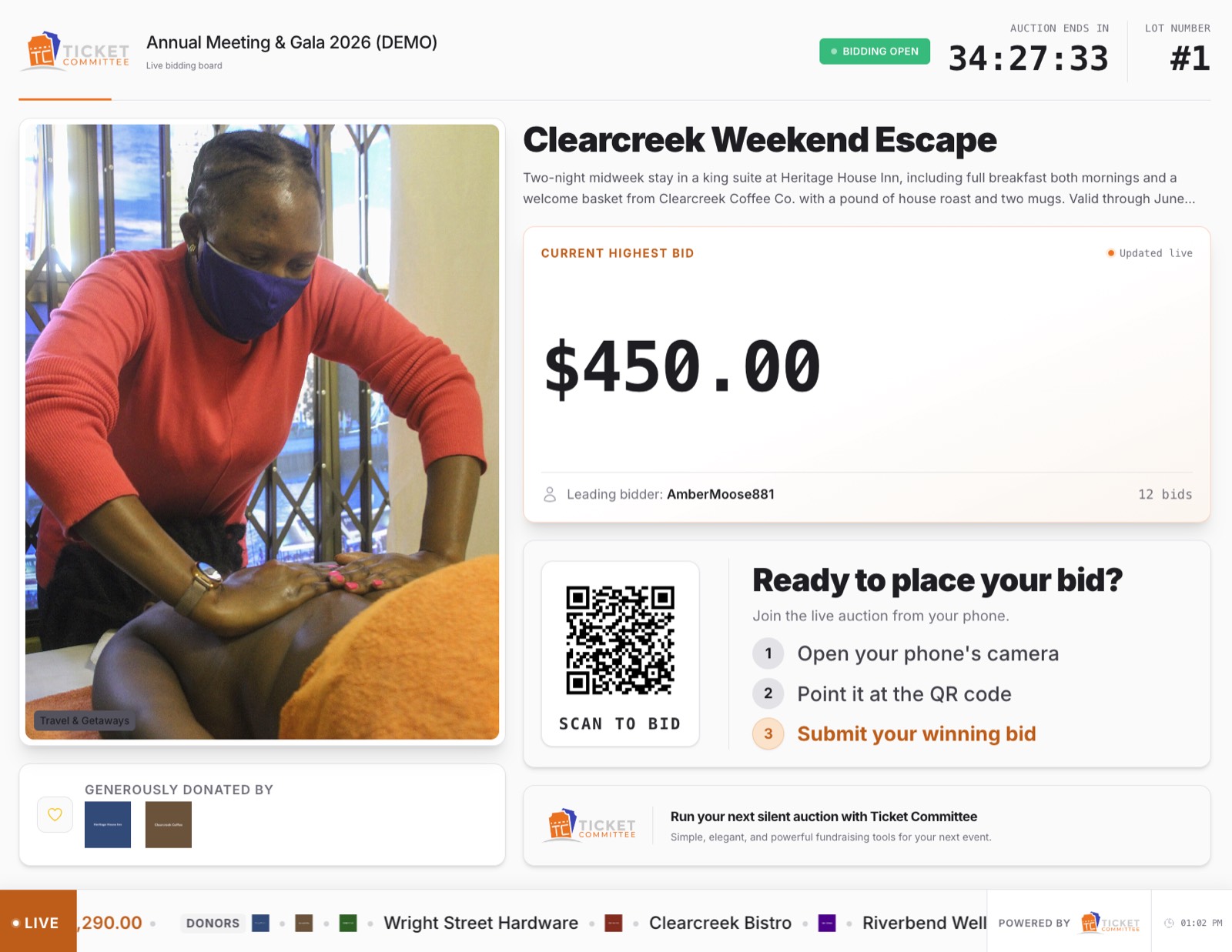
Open one address on any TV, laptop, or tablet. No sign in, so a borrowed laptop works. Lots rotate on the interval you pick, the ones closing soon come around more often, and bids appear the moment they land.
- Live bids pushed to the screen, with no refresh and no volunteer minding it
- A scannable QR code for whichever lot is on screen
- A ticker with lots closing soon, the running total, and your donors
- Your own messages in the rotation: dinner is at 7, bidding closes at 8:30
- Flips to a results screen the second bidding ends
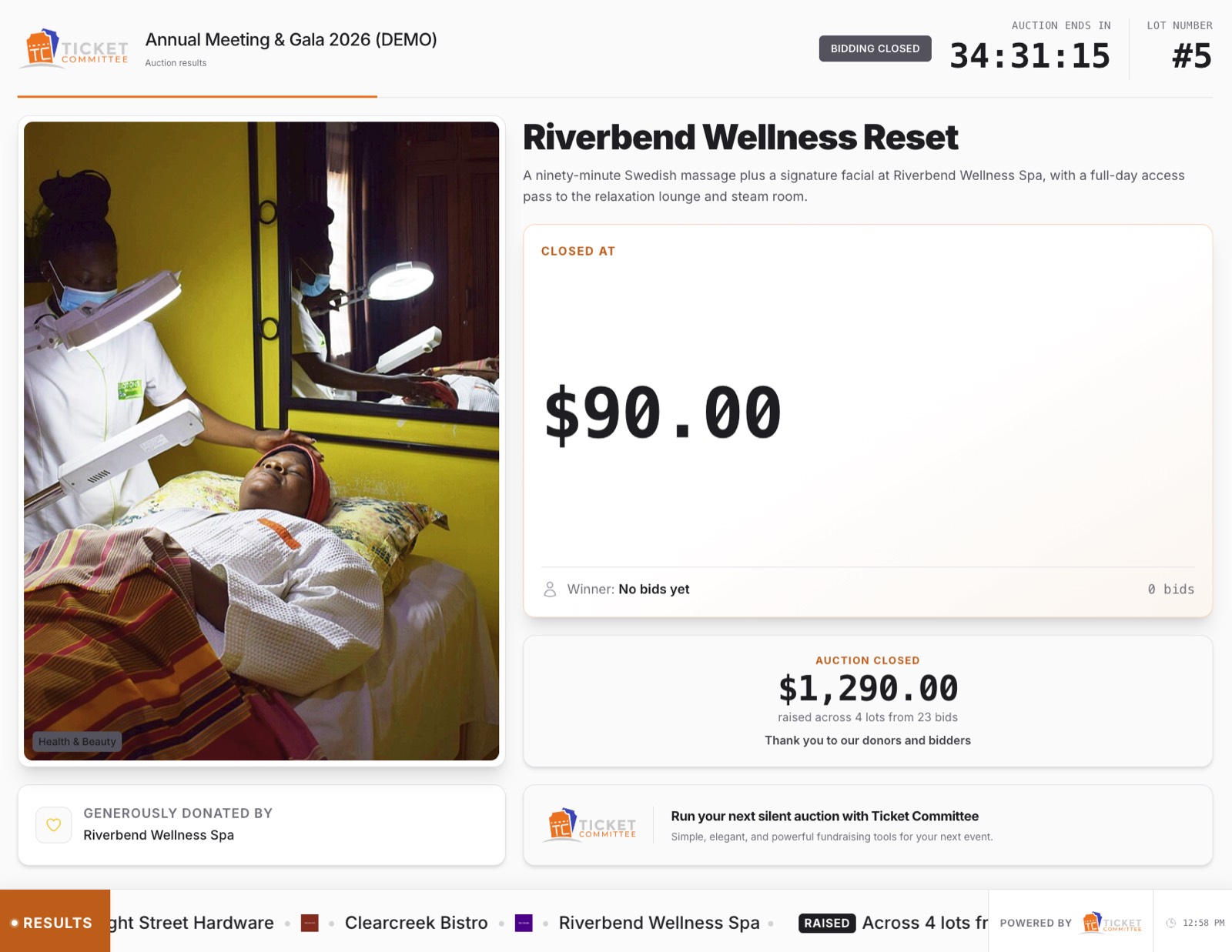
The same board, seconds after bidding ends
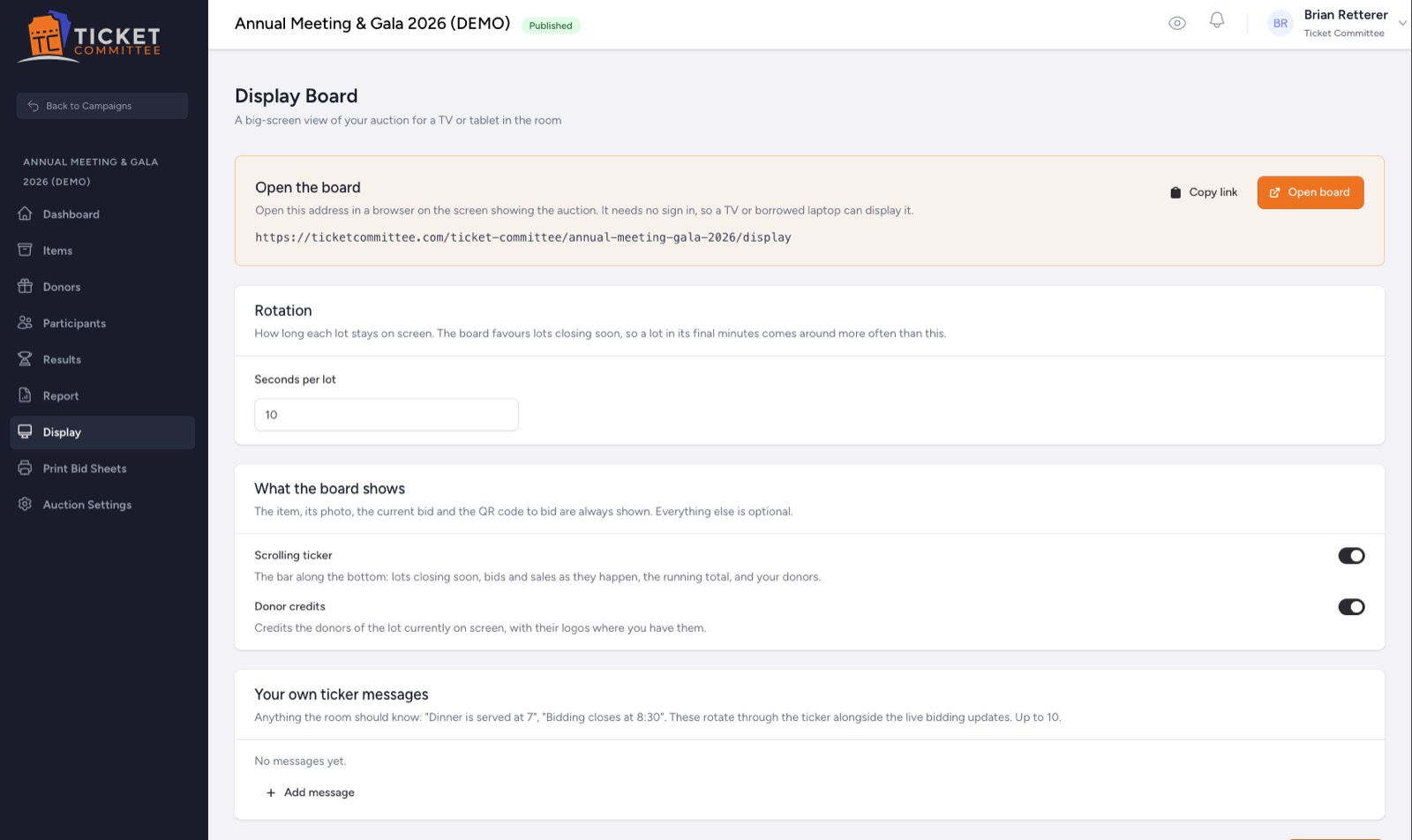
What you control, all on one screen
On the guest's phone
Scan, register, bid. That is the whole thing.
No download, no account to remember, and no volunteer explaining how it works at every table.
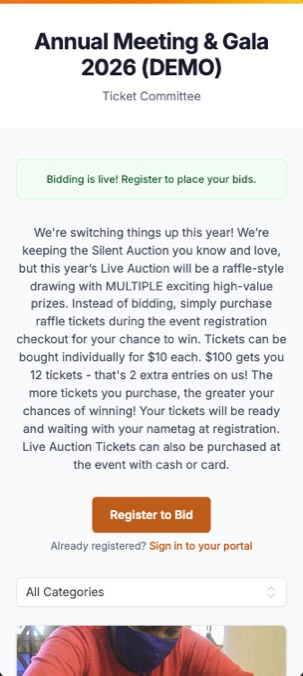
They scan the sheet and land on your auction, in your words.
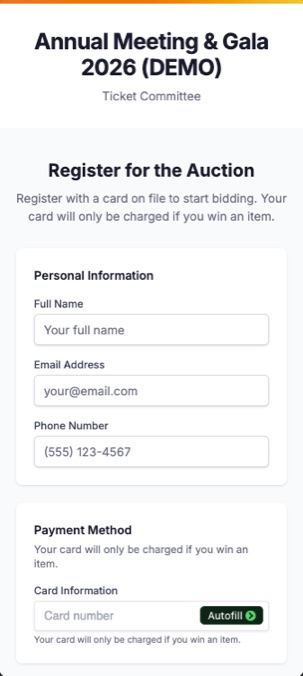
Name, email, phone, card. The card is only charged if they win.
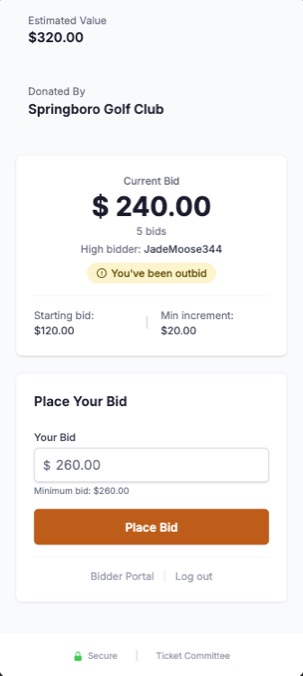
The current bid, the minimum next bid, and one button.
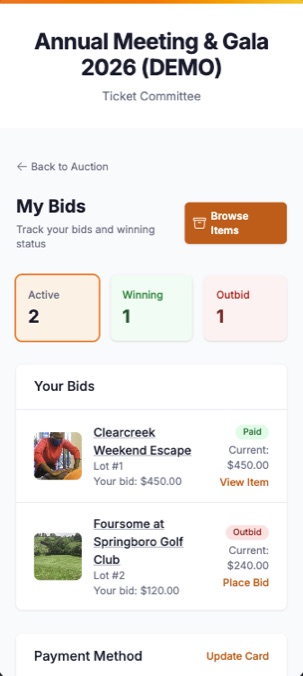
Everything they are winning, plus a text the moment they are not.
Bidders appear on the board under a generated handle, so the room can follow the bidding without anyone's name on a screen.
After the last bid
Nobody chases a check on Monday
The auction closes as a whole, winners are emailed, and the cards on file are charged on the delay you set, from immediately at close to a full day later.
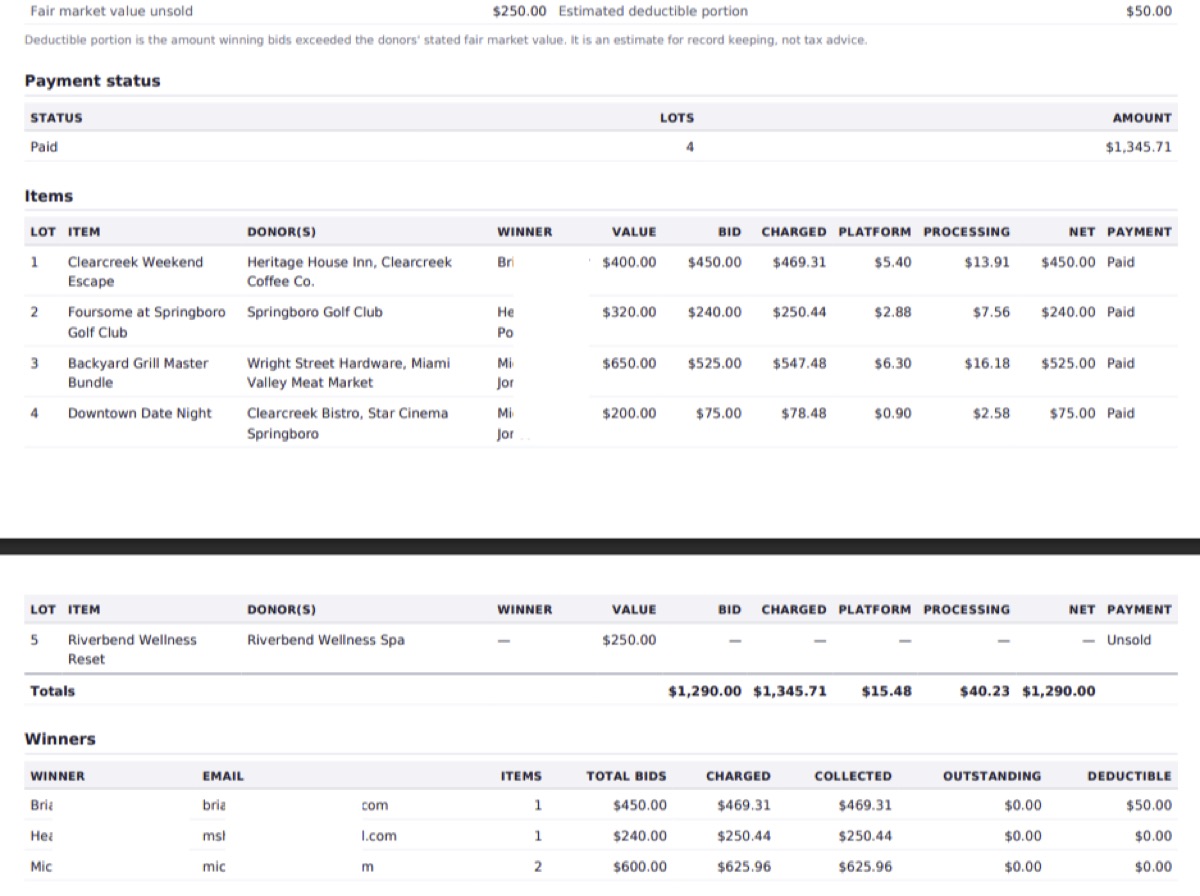
A real report from a demo auction: every lot, every fee, every winner
Both fees, broken out
The platform fee and Stripe's cut are separate columns on every lot, so net to the organization is a number you can defend rather than one you have to work out.
What was actually taken
Where a card has already been charged, the report uses the real amounts from that charge, not an estimate. Anything still uncharged is labelled as projected.
Built for the follow-up
Winners, donors, and the amount each winning bid exceeded stated fair market value, all in one place. Export CSV for the bookkeeper or PDF for the board meeting.
Behind the scenes
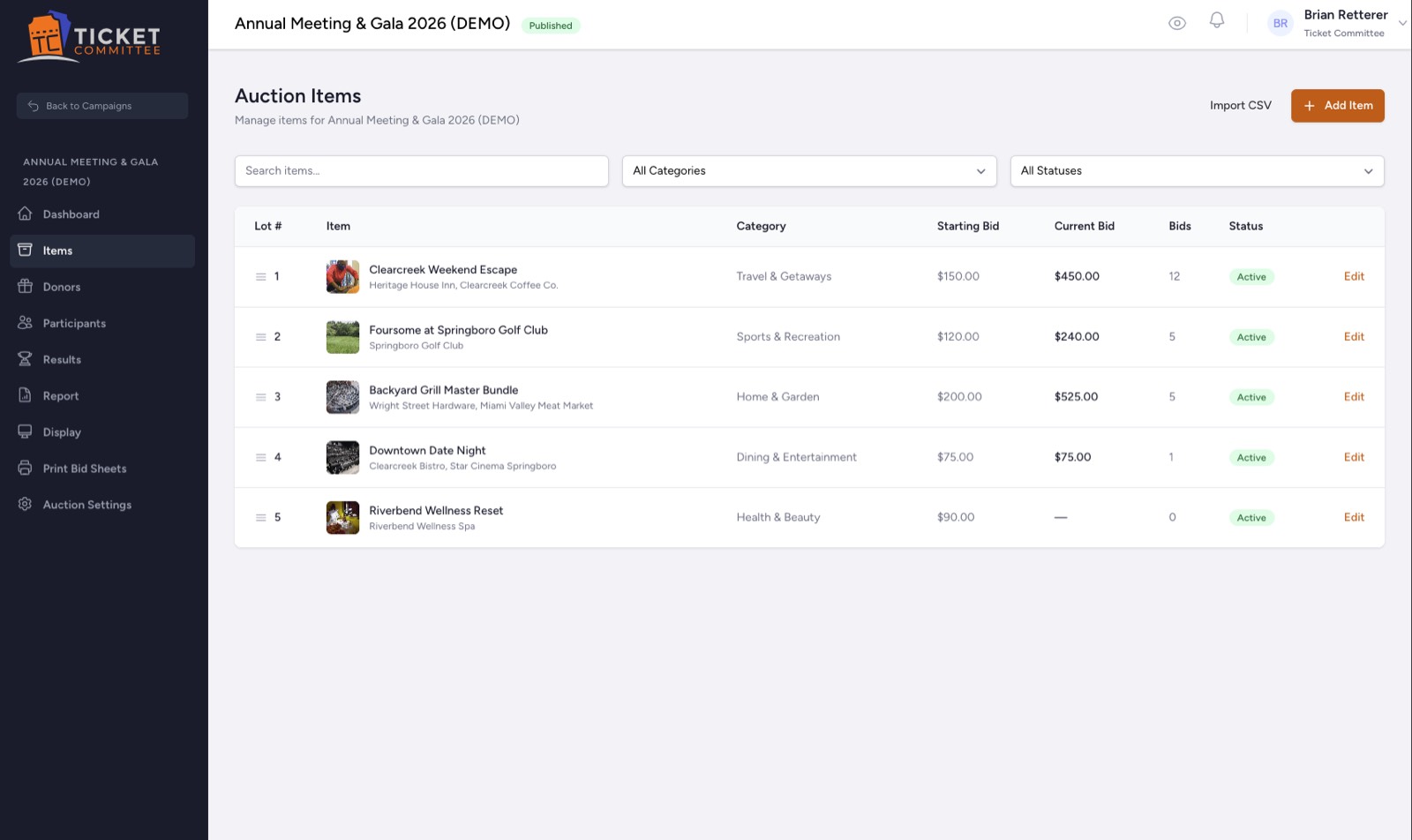
One screen for the whole catalogue
Lot numbers, categories, starting bids, and where the bidding stands, in the order the room will see them.
Pricing
1.2% per item, and never more than $15
Three numbers, all of them public. Nothing to pay before the night, and nothing that scales without a ceiling.
The subscription
$99/year
Covers ticketing, auctions, and waivers together. Registered nonprofits pay half.
The auction fee
1.2%, max $15
Per winning item, on the winning bid. Only on lots that actually sell.
Card processing
Stripe's rate
Paid to Stripe, not to us. You can pass it to the bidder or absorb it.
- Winning bid
- $1,850
- Platform fee (1.2% would be $22.20, so the cap applies)
- $15
- That is 0.81% of the lot
- $15
Platforms that charge per event want money before you know whether the night worked. This is charged per item that actually sold, and it stops climbing at $15 no matter how big the lot gets.
Your next auction could run itself
Set up the lots, print the sheets, and put a screen at the front of the room. We will handle the bidding and the money.